





December 2015
Video Analysis
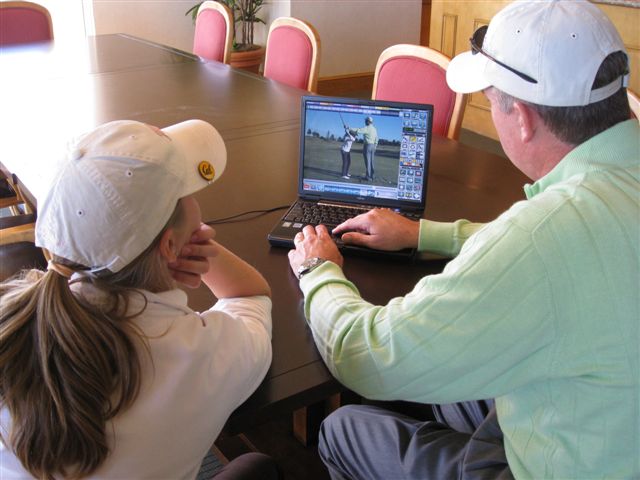
Are you getting ready for a tournament or match play? Need a quick tune up but don't have time for a lesson? Then let Tim do a video analysis of your golf swing.
The process is simple (click here to read how to send a video to Tim) - and the cost is just $25.00. You can view a sample analysis here.
 Click here to
purchase video analysis by Tim now.
Click here to
purchase video analysis by Tim now.

- Download the V1 software application
- Windows PC, Basic Edition (Free)
-
Windows PC, Premium Edition ($39.95)
- Adds ability to print, compare two videos, auto record (use a microphone for sound), playback videos at variable speed
- iPhone, iPad, iPodtouch from iTunes Store ($4.99)
- Android from Android Market ($4.99)
- Record your video using the application (attach your video
camera to your PC to record, or use the video camera on your
phone)
- Behind - set camera waist high and position it in between the ball and the foot line
- Side view - set camera waist high
- Use the link above to purchase an analysis from Tim
- Send your video to Tim using the V1 application
- Click on the "send" icon in the tool bar at the top or...
- Click "File", "Send to the Academy"
- Log In
- Click "Branded Academy"
- Choose "Tim Cusick Golf"
- Select the video you want to send to Tim and click "Open"
- You will receive an email from Tim when your video analysis is ready
- Click on "View Video" to view your swing analysis
Tim stays at the top of his game using equipment and golf wear from: Titleist, Vokey Wedges, Scotty Cameron Putters, Footjoy, Peter Millar, and TempoTeacher.
Follow Tim on his blog Teaching the Teacher, on Facebook Tim Cusick on Facebook, on Twitter Follow @timcusickgolf or on YouTube Tim Cusick on YouTube.